ReStory: Chill Electronics Repairs ReStory Troubleshooting
DirectX 11 errors, black screens, crashes, and Steam Deck fixes for Mandragora's August 2026 launch.
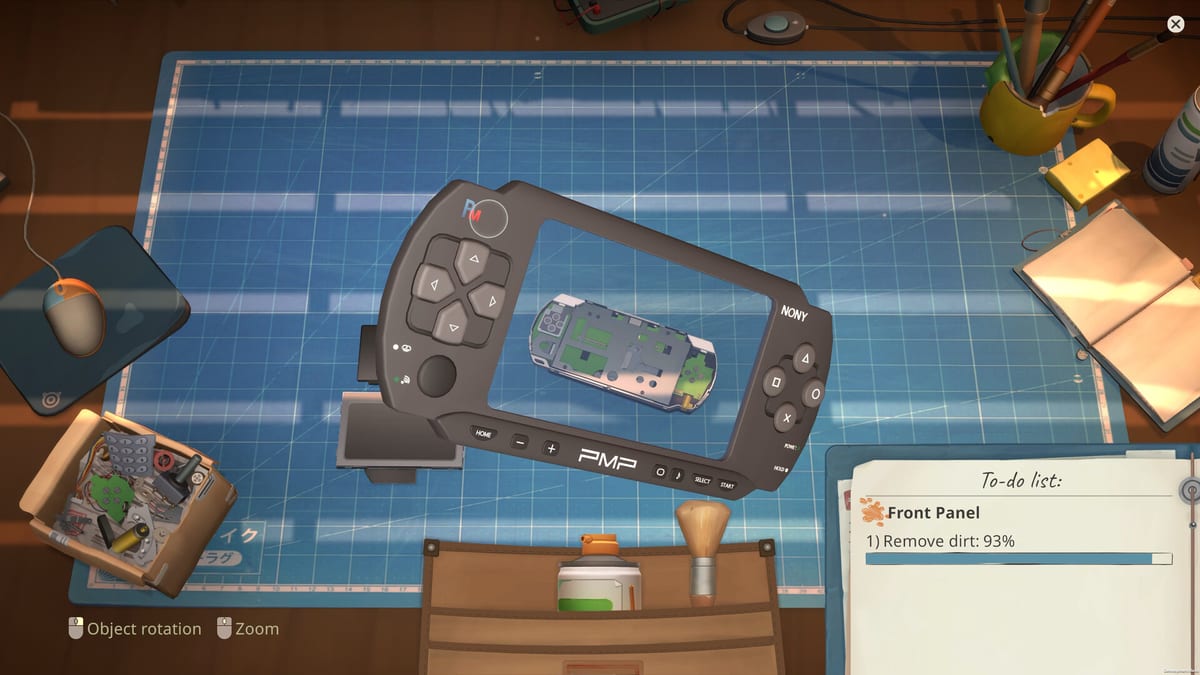
Launch-day excitement for ReStory: Chill Electronics Repairs turned sour for some PC players who never reached the workshop shutter. Steam discussions filled with DirectX 11 Failed to Initialize, black screens after pressing Play, instant crashes to desktop, and occasional freezes mid-repair. Mandragora’s day-one patch addressed in-game solder and economy issues, but rendering pipeline problems usually trace to drivers, launch flags, or missing redistributables—not broken game files. Work through this guide top to bottom before refunding a title that runs fine on modest system requirements.
DirectX 11 failed to initialize
This is the most reported Windows error. ReStory requires DirectX 11 with feature level 10.0 or higher; having DirectX 12 installed does not guarantee every legacy component the engine expects.
Fix 1 — Steam launch options:
- Open Steam Library.
- Right-click ReStory: Chill Electronics Repairs.
- Properties → General → Launch Options.
- Enter
-dx11and launch. - If unchanged, replace with
-d3d11.
Both flags force a stable DX11 path instead of experimental render backends.
Fix 2 — Verify game files: Right-click the title → Properties → Installed Files → Verify integrity. Corrupted shaders after interrupted downloads mimic DX failures.
Fix 3 — Update GPU drivers: NVIDIA, AMD, and Intel all ship ReStory-compatible WHQL builds in 2026. Clean-install if you recently swapped GPUs.
Fix 4 — Install Visual C++ redistributables: Steam often prompts, but manually installing the latest x64 VC++ packages resolves missing runtime DLLs community threads flag repeatedly.
Fix 5 — Windows Update: Pending KB patches sometimes leave DirectX helper libraries stale on Win10 machines that otherwise exceed minimum specs.
Black screen, crash, or freeze
Symptoms overlap but fixes diverge slightly:
| Symptom | Likely cause | First action |
|---|---|---|
| Black screen after Play | Fullscreen / GPU handshake | Borderless windowed in settings or -dx11 |
| Instant crash to desktop | Antivirus hook or overlay | Disable AV test; close Discord/GeForce overlay |
| Freeze at bench zoom | Driver timeout | Lower resolution; update drivers |
| Hang on first load | Shader compile | Wait 2–3 minutes once; clear shader cache |
Borderless windowed mode helps players alt-tabbing to email repair guides without DXGI resets—a tip echoed in Controls.
Shader cache: Delete ReStory’s local config folder (documented in Steam discussions under AppData) to regenerate fresh settings after driver swaps. Back up saves first—manual save from the launch patch lives in the same user tree.
Antivirus: Temporarily exclude the Steam library folder or disable real-time scanning during first launch. False positives on small indie builds are common even for tinyBuild releases.
Run as administrator once to rule out permission blocks writing config files—not a long-term solution, but a useful diagnostic.
Steam Deck and Proton
Deck users report success with Proton Experimental or Proton Hotfix when default Proton black-screens. Steps:
- Game properties → Compatibility → force Proton Experimental.
- Apply the same
-dx11launch option if Windows guides recommend it for your Proton build. - Limit FPS to 30 for thermal stability during long Eggotchi sessions.
- Clear Proton shader cache after major SteamOS updates.
Bench precision still favors mouse; Deck controls are workable but tighter than desktop—see controller notes below and System requirements for handheld expectations.
In-game stutter and repair freezes
If the game launches but stutters when rotating devices:
- Confirm you meet community recommended specs (i5/Ryzen 5, 8 GB RAM, GTX 1050 Ti class).
- Lower repair difficulty in accessibility settings—added day one per Launch patch.
- Close browser tabs streaming video while running ReStory; 4 GB RAM minimums leave little headroom.
- Upgrade workshop lighting in-game before blaming hardware—dark bench scenes push exposure effects harder.
Persistent stutter after the launch patch economy tuning is rare; compare with Review performance notes.
Controller rotate mapping tip
ReStory emphasizes mouse and keyboard on PC. Steam Input can map controllers, but one community workaround for bench rotation on gamepad:
- Use Steam Input → Mouse+Keyboard layout.
- Bind left trigger (or L2) to the rotate action that defaults to middle-mouse drag on desktop.
- Keep interact on face buttons; map scroll wheel to right stick for zoom if needed.
This is unofficial and less precise than a mouse for hinge clips on Pokia Njoy units—documented in How to Repair. If rotation feels wrong, revert to defaults and use Controls rebinding for keyboard rotate keys on laptops without middle click.
When it is actually your hardware
GPUs below DirectX feature level 10.0 cannot run ReStory regardless of launch flags. Integrated graphics from 2012-era laptops may fail even if CPU and RAM pass Steam’s text minimums. In that case, Steam Deck streaming or cloud gaming are alternatives—not fixes this guide can patch locally.
Compare against the official table on System requirements before buying new parts.
Still broken?
- Post on Steam discussions with DXDiag summary, GPU model, and exact error string.
- Confirm game version matches post–August 6, 2026 patch notes on Updates.
- Test a new Windows user profile to exclude broken global DirectX installs.
Most players reporting Overwhelmingly Positive reviews reached the bench after launch-option or driver fixes—not reinstalling Windows.
Related pages
- System requirements — official mins and Deck notes
- Controls — defaults before remapping
- Launch patch — in-game fixes separate from boot errors
- How to Repair — once you are in the workshop
Frequently Asked Questions
Quick answers for ReStory players.
What launch option fixes DirectX 11 errors in ReStory?
Add -dx11 in Steam Launch Options. If that fails, try -d3d11. Both force DirectX 11 initialization on Windows builds.
Why does ReStory black-screen on launch?
Common causes include fullscreen mode conflicts, outdated GPU drivers, or missing VC++ redistributables. Try borderless windowed, -dx11, and verify game files.
Does ReStory work on Steam Deck?
Community reports describe playable sessions with Proton Experimental or Hotfix plus optional -dx11. Performance and text size are tighter than desktop.
How do I rotate devices with a controller?
Use Steam Input Mouse+Keyboard layout and map left trigger to rotate, mimicking middle-mouse drag. Mouse remains more precise for repair mini-games.